Adult to Baby Face Generator: What Would I Look Like as a Baby?
Adult to baby face generator shows what you would look like as a baby by turning one adult photo into a realistic infant face. Turn one photo of your adult face into a photo-real baby, and compare the two side by side.
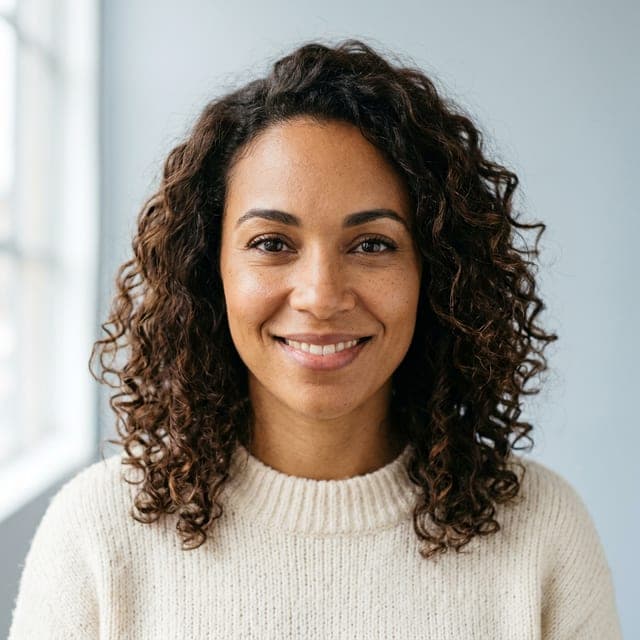
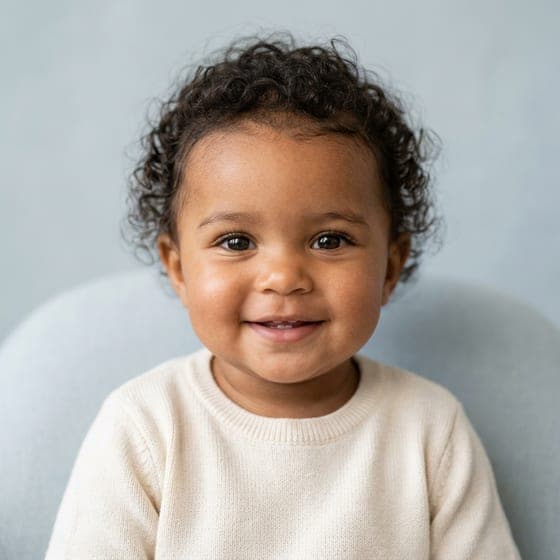
- First result free, no card
- Keeps your skin tone, eyes and hair
- Photo deleted within 24 hours
Drag the line to compare. Examples are fictional AI people. Nothing is charged yet.
- First result freeNo card needed
- 2 baby portraitsFrom one adult photo
- Deleted in 24 hoursNever used for training
- One-time packsOr an optional monthly plan, cancel any time
How to Turn Your Adult Photo Into a Baby Face
Three steps and about a minute.
Step 1: Upload a Photo of Your Adult Face
One person, face filling the frame, looking at the camera, in even light. A recent, unfiltered photo works best.
Step 2: Let the AI Make You Younger
It reads your skin tone, eyes, hair and face shape, then draws you at about 1 year old.
Step 3: Compare and Download
Get 2 baby portraits and put them next to your photo. Paid images download full size with no watermark.
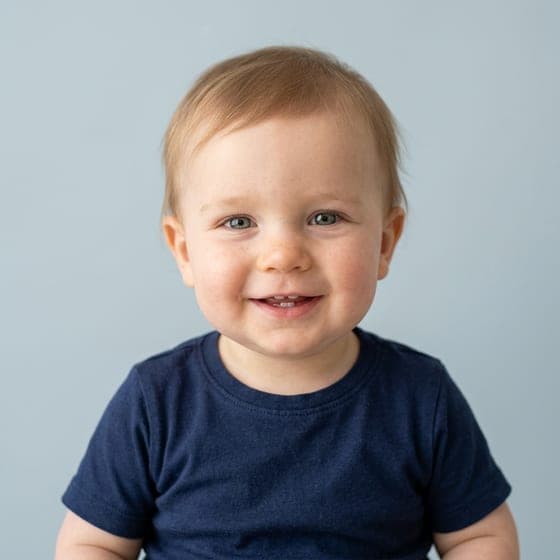
Before and After: Adults Turned Into Babies
Drag each slider to compare. Both people are fictional and AI-generated.

What Does the Adult to Baby Face Generator Change, and What Does It Keep?
Turning an adult into a baby isn't shrinking a photo. Faces change shape as we grow, so the AI redraws the face as it would have been, and keeps what makes it yours.
What changes
- Rounder, fuller cheeks
- Bigger eyes compared to the face
- A smaller, softer nose and chin
- Finer, shorter baby hair
- No beard, wrinkles or makeup
What stays yours
- Skin tone, checked on every portrait
- Eye color
- Hair color and texture
- Face shape
- Freckles, dimples and other features
Will It Look Like My Real Baby Photos?
Close, often, but not exactly. The AI works from how you look today, and some things change a lot in the first years: many babies are born with lighter hair or blue-gray eyes that darken later.
So the result is a portrait of the baby your adult face suggests, not a copy of your real baby photo. Putting them side by side is half the fun.
Tip: dig out a real photo of you at about 1 year old and compare.
Adult to Baby Face Modes We Provide
Baby AI Generator turns your own selfie, or a photo of your partner or any adult who agreed, into a baby at about 1 year old. The AI baby filter adds child and teen ages. To see the child two adults could have together, use the AI baby maker.
Your Own Baby Face From a Selfie
Selfie mode creates a baby version of your adult face from a single front-facing photograph.
Your Partner as a Baby
Partner mode shows couples what a partner might have looked like as a baby. Upload a clear, front-facing photo of your partner, and our age-regression technology generates a realistic baby face.
Your Baby Face at About 1 Year Old
The baby face generator shows you at about 1 year old, with the rounder cheeks, bigger eyes and softer features of that age. To see yourself at about 6 or about 15, use the AI baby filter.
Want to See Yourself as a Child or Teen Too?
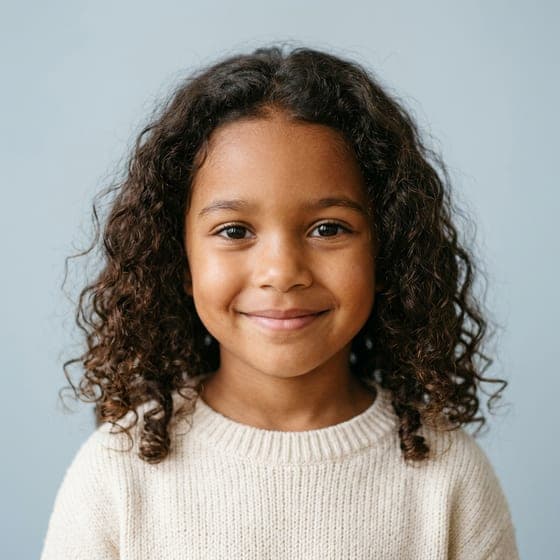
This page shows you as a baby. The AI baby filter also shows you at about 6 and about 15, from the same kind of photo.
Adult to Baby Face Generator Pricing
Your first result is free. After that, 1 credit is 1 portrait and a run of 2 uses 2 credits. The same credits work across every generator.
Starter
Two full runs of four children.
$4.99one-time
- 8 images
- 2 runs of 4 children
- Full size, no watermark
- Credits never expire
- Never renews
Most popular
Family
Try every age, twins and a family portrait.
$9.99one-time
- 20 images
- 5 runs of 4 children
- Full size, no watermark
- Credits never expire
- Never renews
Big family
For the whole family to play with.
$19.99one-time
- 50 images
- 12 runs of 4 children
- Full size, no watermark
- Credits never expire
- Never renews
Adult to Baby Face Generator FAQ
What Is an Adult to Baby Face Generator?
An adult to baby face generator is an AI tool that transforms an adult face into a baby version through age regression. Adult to baby face generators use one input photo to analyze and reverse the facial changes that happen between infancy and adulthood. The generated baby face keeps recognizable features such as eye shape and facial structure, so it stays a likeness of the original adult face. Age regression models enlarge the eyes, round the cheeks, and shorten the nose to reflect infant facial features. The output gives a visual picture of how a person might have looked as a baby while preserving identity traits.
What Is the Difference Between an Adult to Baby Face Generator and a Future Baby Generator?
An adult to baby face generator regresses a single adult face into its infant version, while a future baby generator predicts a potential child's appearance by combining features from two parent photos. The adult to baby tool shows a person's past appearance as a baby. The future baby generator gives an imaginative forecast of a couple's potential offspring by blending both parents' traits. The two tools serve different purposes: personal age regression versus hypothetical child prediction.
What Would I Look Like as a Baby in the Adult to Baby Face Generator?
Upload one clear photo of your adult face and you'll get 2 photo-real portraits of you at about 1 year old, keeping your skin tone, eye and hair color, hair texture and face shape.
How to Choose an Adult to Baby Face Generator?
The criteria for choosing an adult to baby face generator are listed below:
- Likeness retention: The generator should preserve distinctive features like eye shape and smile while applying infant proportions, so the baby face resembles the adult's characteristics.
- Adult feature removal: The tool should remove adult-only features such as glasses, beards, and makeup to create clean infant faces without visual contradictions.
- Age options: Several ages let users compare stages of childhood. Baby AI Generator shows a baby at about 1, and the AI baby filter adds about 6 and about 15.
- Privacy protections: The service should delete photos after processing, keep data secure, and explain how photos are collected, stored, used, shared, and deleted, with appropriate security and retention controls.
Can the Adult to Baby Face Generator Show Your Future Child Instead?
Yes, with the couple baby generator: upload a photo of each partner instead of one. The same facial analysis that age-regresses one adult face into a baby version predicts a couple's baby by blending features from two parents. Baby AI Generator works as both an adult to baby face generator and a future baby generator. Our tool analyzes facial traits such as eye shape, nose structure, and face proportions from both uploaded photos to create a realistic image of a potential child. Baby AI Generator keeps likeness retention across both modes, giving users an imaginative glimpse of their possible family future.
Does an AI Baby Face Match What You Really Looked Like?
Partly, an AI baby face matches the features that stay stable from infancy to adulthood. Eye shape and face structure transfer better from adult photos to AI-generated baby faces because they remain relatively consistent throughout a person's life. Skin tone and hair color change significantly between infancy and adulthood, which makes them harder for the generator to predict. The AI reads the underlying bone structure and permanent facial features in your adult photo to create a baby version with your core likeness. The result won't be identical to your actual baby photos, but it shares the recognizable features that define your face across all ages.
How Accurate Is an Adult to Baby Face Generator?
It's a likeness for fun, drawn from your face today. Hair and eye color often change in the first years, so your real baby photos may differ.
Why AI Baby Faces Have Bigger Eyes and Rounder Cheeks?
AI baby faces have bigger eyes and rounder cheeks because AI generators follow "baby schema" proportions. Baby schema includes large eyes, full cheeks, and a small nose, which people identify as infant features. A 2009 study by Glocker et al. in Ethology, "Baby Schema in Infant Faces Induces Cuteness Perception and Motivation for Caretaking in Adults," found that baby schema features such as large eyes, chubby cheeks, and a small nose and mouth raise adults' perception of cuteness and their motivation for caretaking. AI models trained on large datasets of real baby photos replicate baby schema features to create realistic infant faces. The generated images match common perceptions of what a baby looks like, which gives users a familiar and endearing result.
How Do Facial Features Change From Baby to Adult?
Facial features change significantly from infancy to adulthood. The nose, small and upturned in babies, grows forward and downward and becomes more prominent over time. The jaw expands in height, length, and projection, producing a more defined chin and jawline. Cheekbones start soft and rounded and develop into more angular structures, giving the adult face its longer, sculpted look. An adult to baby face generator reverses the growth changes by shortening the nose, reducing jaw prominence, and rounding the cheeks to recreate infant facial proportions.
Can the Adult to Baby Face Generator Turn Someone Else Into a Baby?
Yes, any adult who agreed to it. We ask you to confirm that before every run. Photos of children can't be used.
Does the Adult to Baby Face Generator Work With Group Photos?
Use a photo of one person. Crop a group photo down to one face first for the best result.
How Much Does the Adult to Baby Face Generator Cost?
Your first result is free: 1 real portrait, small and watermarked, no card needed. After that, a run of 2 portraits uses 2 credits; packs start at $4.99 that never renew, and monthly plans are optional.
What Happens to Photos Uploaded to the Adult to Baby Face Generator?
It's used only for your portraits, never to train AI, and deleted automatically within 24 hours.
See what you looked like as a baby. Your first result is free
Show me as a baby